Scheduling features

Appointment scheduling features built around the full booking journey.

Explore iPacen features for online appointment scheduling, hosted booking pages, service setup, live availability, business profiles, bookings, and paid appointment workflows.

What this helps with

Create hosted booking pages that explain the service before the customer chooses a time.

Publish services with duration, price, description, notice windows, buffers, and status controls.

Use live availability rules so visitors only see time slots your business can actually honor.

Manage profile, contact, SEO, bookings, and payments from one account instead of scattered tools.

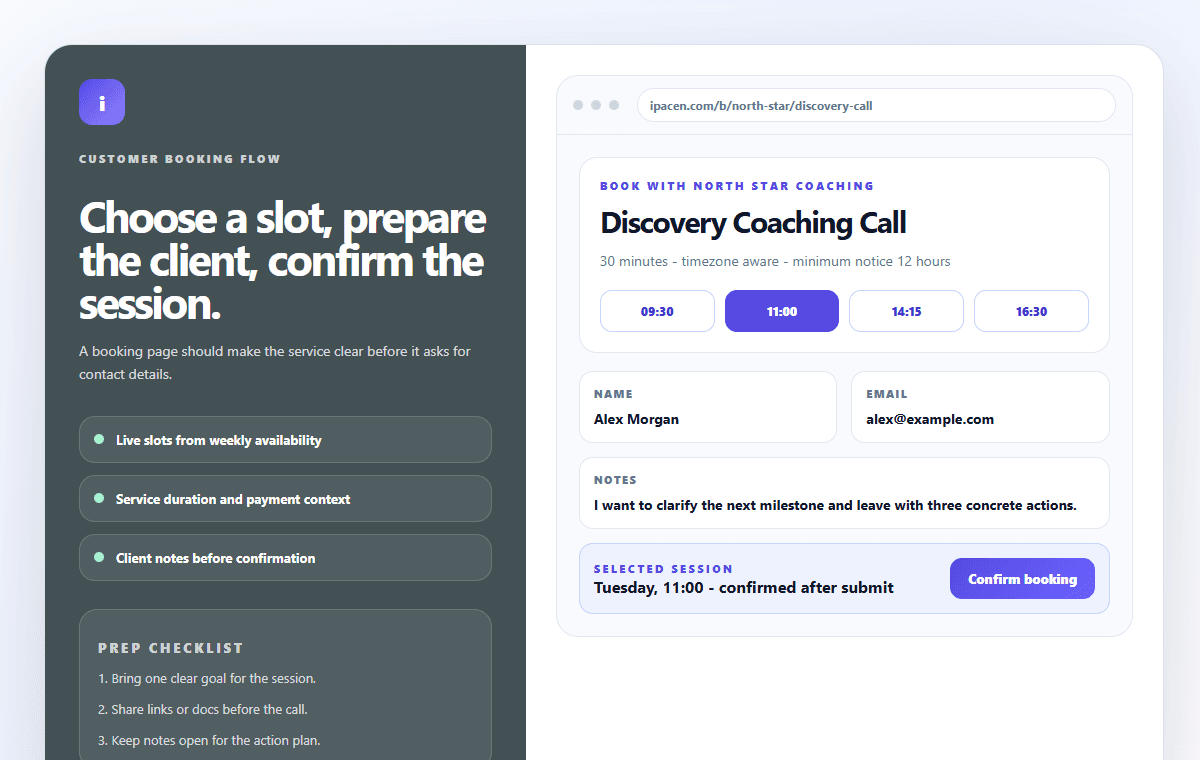
iPacen customer booking workflow with slot selection and confirmation details
A customer booking flow with service context, available times, client notes, and confirmation details in view.

Booking pages

Hosted pages that feel intentional

A booking page should do more than expose a calendar. iPacen gives service businesses a public page that explains the offer, builds trust, and guides the visitor toward the right appointment.

  • Company profile, logo, website, and public contact details
  • Service cards with clear duration and price context
  • Mobile-first booking flow for visitors who arrive from social, ads, or email

Availability

Scheduling rules that protect your calendar

Availability is handled as an operational rule, not as a decorative setting. Services can respect business hours, buffers, and minimum notice so booking stays manageable.

  • Weekly availability patterns
  • Service-level duration and buffer settings
  • Clear available times for customers before they submit a booking

Operations

A workspace for real appointment work

The dashboard is designed for the day-to-day work behind bookings: reviewing requests, adjusting services, checking readiness, and keeping the public page accurate.

  • Bookings, services, setup guide, profile, billing, and payments
  • Customer details and appointment context in one place
  • Readable UI built for desktop and mobile workflows

Decision guide

Choose scheduling software around the booking experience, not just the calendar event.

The strongest booking pages do three jobs at once: explain the service, protect your availability, and give the customer enough confidence to pick a time.

What makes iPacen different from a simple calendar link?

iPacen focuses on the complete booking experience: service explanation, business trust signals, live availability, booking management, and paid appointment workflows in one hosted product.

Can iPacen work for multiple service types?

Yes. You can create separate services for coaching calls, discovery calls, strategy sessions, consultations, onboarding meetings, and other appointment-based offers.

Is iPacen mobile-friendly?

Yes. The app and public booking pages are designed to work cleanly on mobile, where many customers open booking links first.

Does iPacen include SEO settings?

Workspace profile settings include SEO-friendly public page copy, and the marketing pages are structured with metadata and schema for search engines and AI assistants.

Create a booking page your visitors can understand in seconds.

Start with one service, one weekly availability pattern, and a clean hosted page. Then improve the flow as bookings come in.